
Automated User ManagementZero Manual Setup
Connect Azure AD once and users are automatically provisioned, synced, and assigned training. No manual user creation. No password management. Just seamless automation.
Set up in 10 minutes. Automate user management forever.
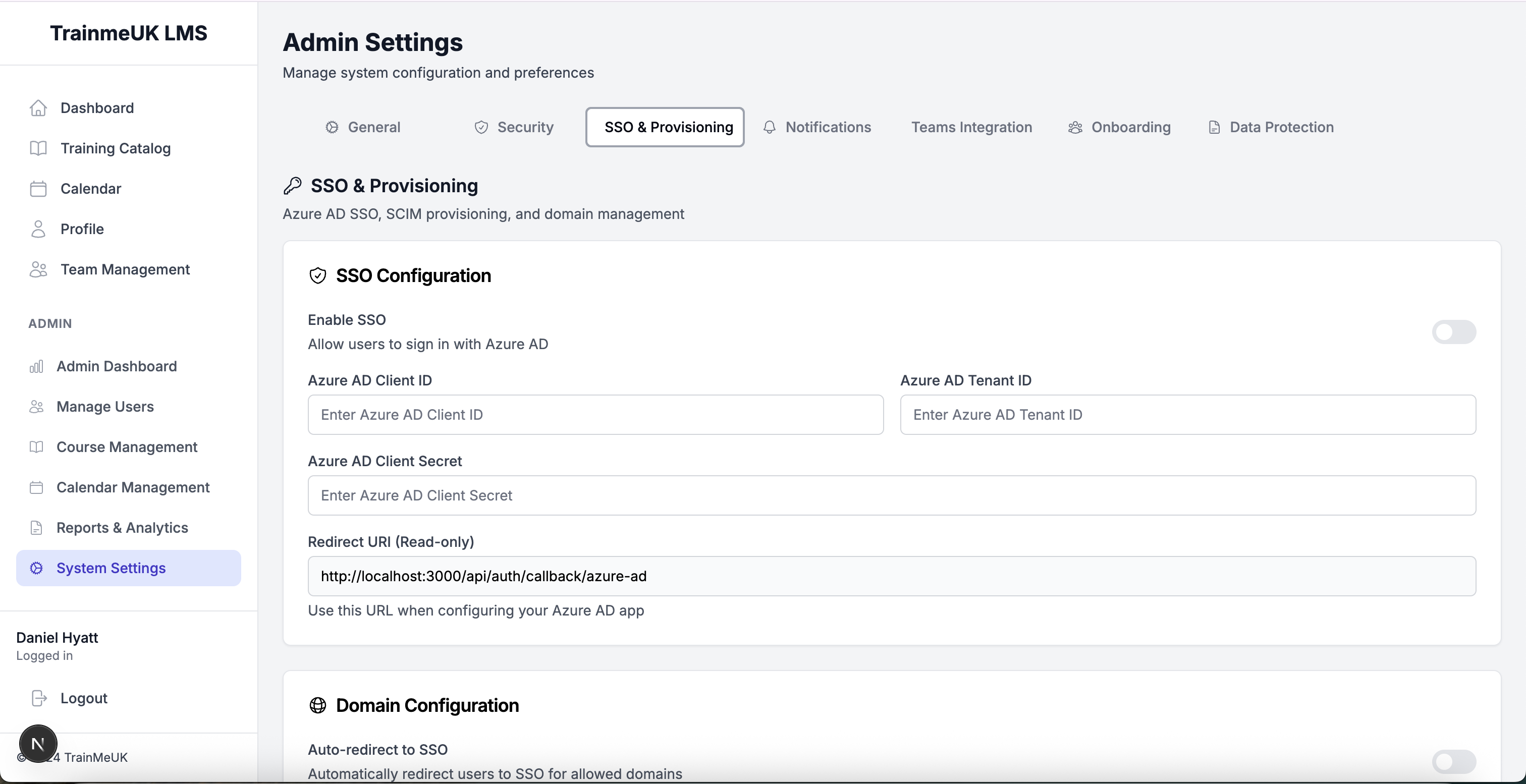
10 min
Setup
100%
Automated
Multiple ways to automate
user management
Choose the automation method that works best for your organisation. Azure AD integration, SCIM provisioning, or bulk import - all included.
Automation methods
Azure AD Sync
Real-time user provisioning
SCIM Integration
Automatic user sync
Bulk Import
CSV import tool
Department Auto-Create
Automatic department mapping
Powerful capabilities built in
Real-Time Synchronisation
Users are automatically added, updated, and removed based on your Azure AD directory. Changes sync in real-time with no manual intervention.
SSO Authentication
Users sign in with their existing Azure AD credentials. No new passwords to manage. MFA support built-in.
Bulk User Import
Import users from CSV files with automatic department creation, role assignment, and course assignment based on rules.
Just-In-Time Provisioning
Users are automatically created on first login via SSO. No pre-provisioning required. Perfect for large organisations.
See automated user management in action
From Azure AD integration to bulk import to automatic course assignment — explore how user management runs on autopilot.
User Management Interface
Comprehensive user management dashboard with automatic provisioning status, role assignment, and department management.
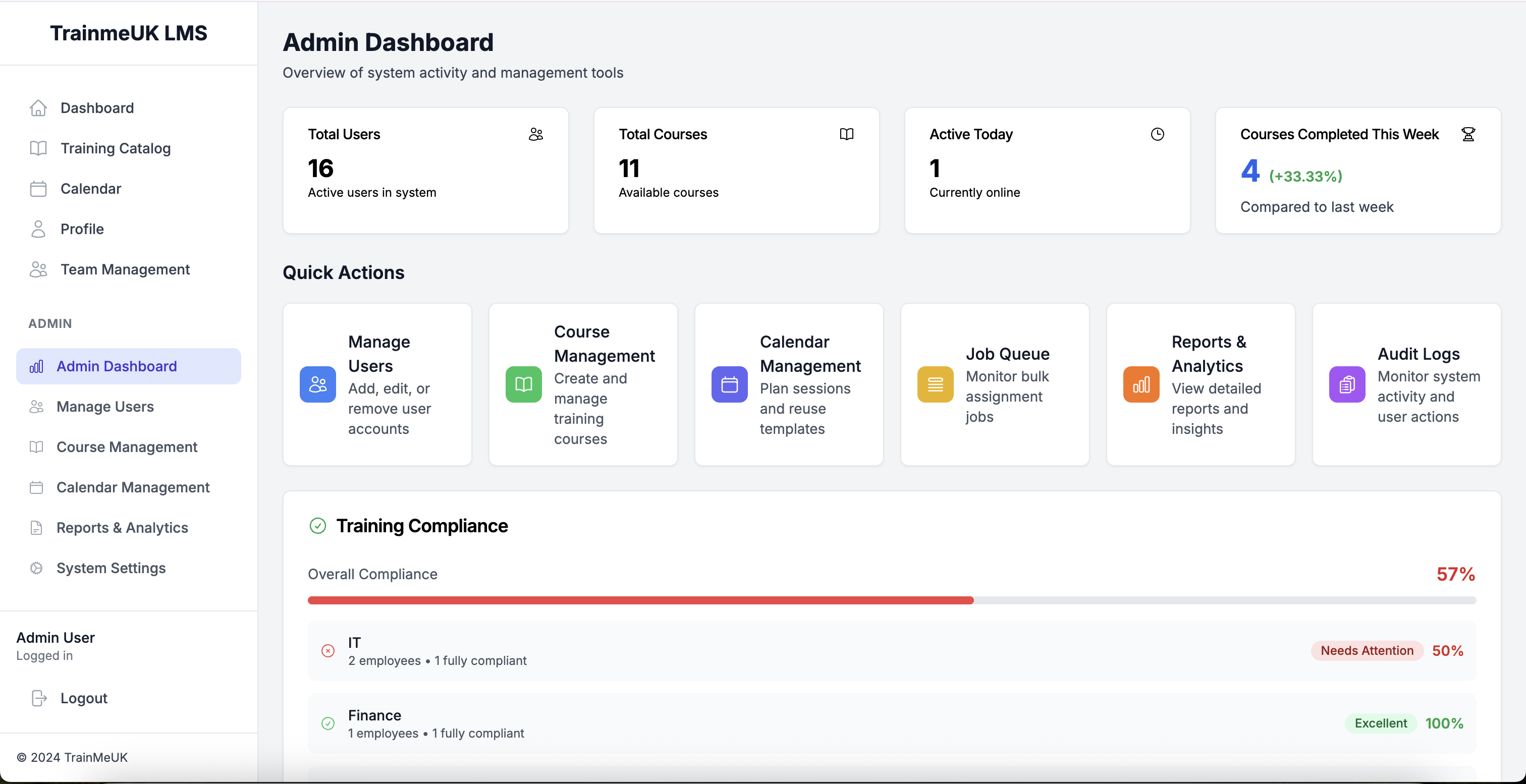
Admin Dashboard
Centralised admin dashboard showing user statistics, provisioning status, and system health for automated user management.
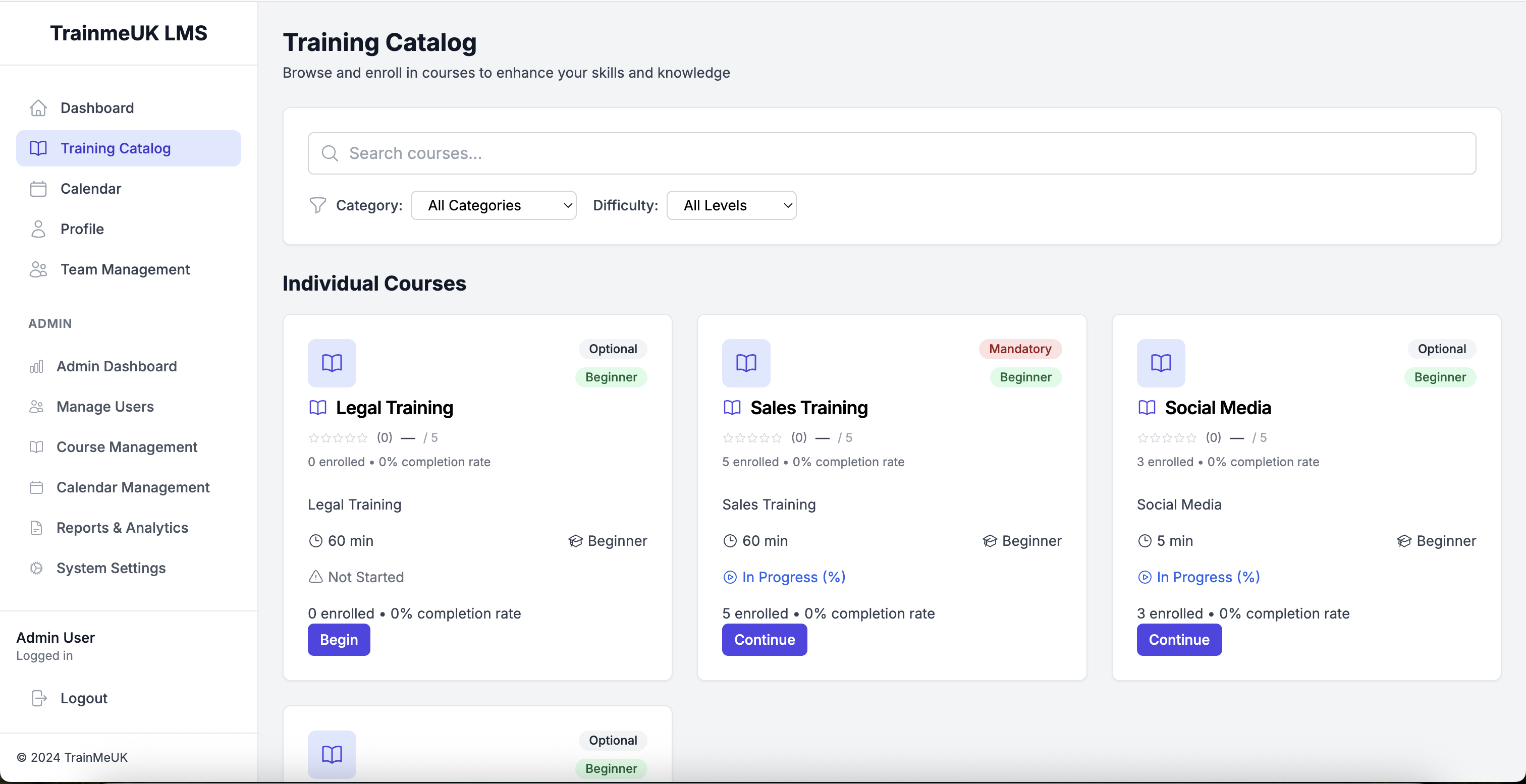
Training Catalog
Automatically assign training to new users based on Azure AD groups, departments, and job roles. Zero manual assignment needed.
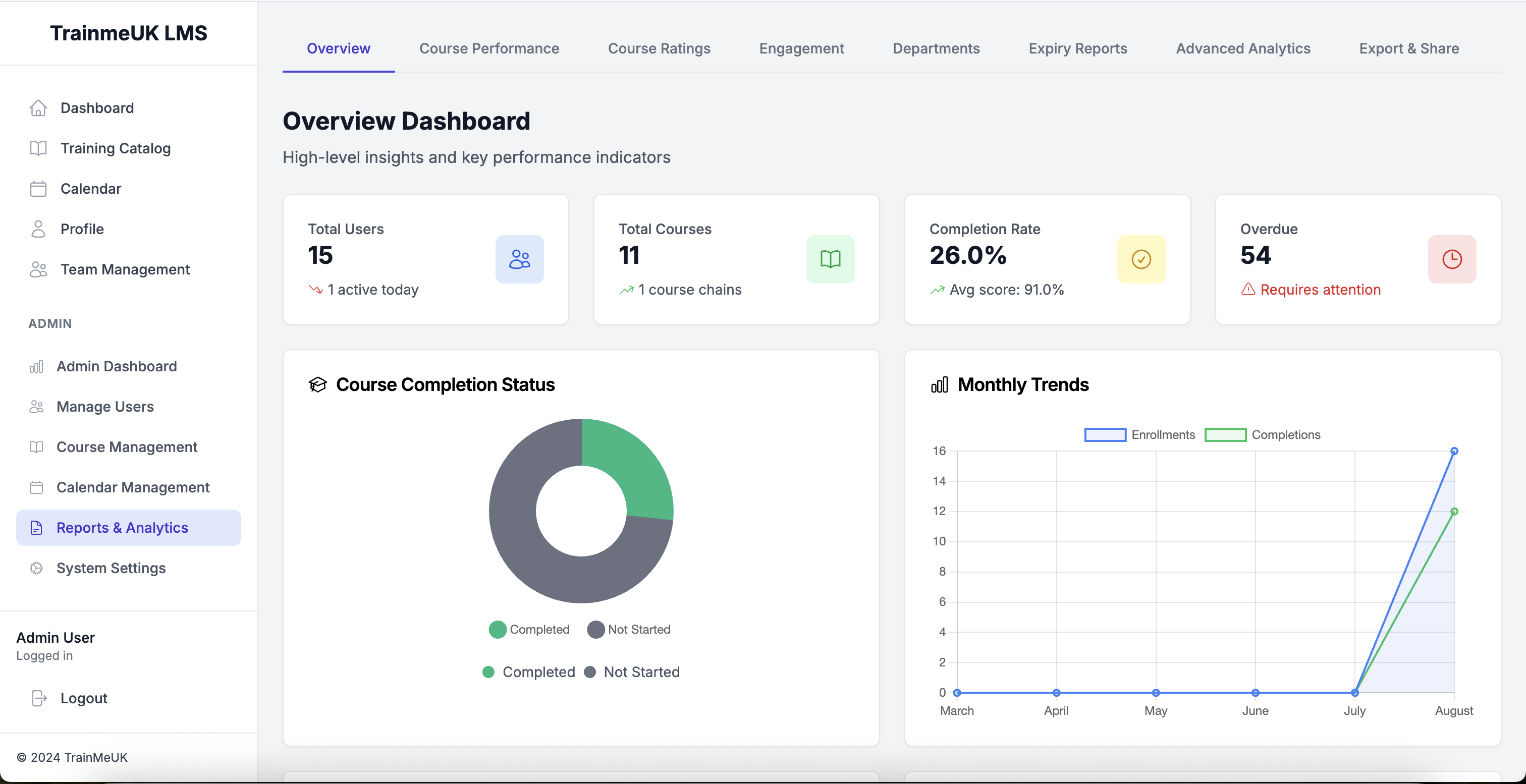
Reports & Analytics
Track user provisioning, sync status, and assignment rules with comprehensive reporting and analytics.
Why automate user management instead of
manual creation?
Stop manually creating users one by one. Automated User Management syncs with your Azure AD directory and provisions users automatically.
* Automated User Management is included with all TrainMeUK plans at no extra cost
Frequently asked questions
Which plans include Automated User Management?
Automated User Management is included with all TrainMeUK plans at no extra cost. Azure AD integration, SCIM provisioning, and bulk import are all available.
How long does Azure AD setup take?
Azure AD integration can be set up in about 10 minutes. Connect your Azure AD, configure SCIM (optional), and users will start syncing automatically.
Do I need SCIM for user provisioning?
SCIM is optional but recommended for automatic user provisioning. You can also use SSO with Just-In-Time provisioning, where users are created on first login.
Can I import users from CSV?
Yes! Use the bulk import tool to upload CSV files with user data. The system automatically creates departments, assigns roles, and applies course assignment rules.
Ready to automate user management?
Start your 14-day free trial and see how automated user provisioning saves hours of manual work. No credit card required. Set up in 10 minutes.
Ready to automate your compliance?
Trusted by organisations across the UK
Less admin
Automated training workflows, reminders and renewals
95%+ compliance rate
Never worry about audit readiness again
Setup in 60 minutes
Connect Azure AD and start automating immediately
Start your free trial today
No credit card required • Full access for 14 days • Cancel anytime
✓ 14-day free trial • ✓ No setup fees • ✓ UK-based support