
Site management fortraining and safety on the ground
Define sites, see who is on site, run muster and evacuation roll calls with QR check-in, and align compliance requirements by location — alongside your existing TrainMeUK learning and records.
Multi-location operators: ask us about enabling Site Management for your tenant. For principal contractors and multi-site builds, see TrainMeUK for Construction.

On site
Live presence
Muster & evacuation
QR-led
Operational control for every site
Site Management connects physical locations with your compliance programme — from induction records to who is present during an incident.
What you configure
Sites
Configure locations your teams work from
Muster points
QR-based check-in at designated points
Requirements
Global and per-site compliance rules
People & access
Assign scanners and site administrators
Built for frontline reality
Worker compliance passport
Staff carry a portable QR for verification at site entry or muster — aligned with your training and certificate requirements.
Presence & roll call
See who is on site, support checkout flows, and capture muster attendance when it matters.
Evacuation tracking
Run drills or live evacuations with clear on-site vs mustered counts so leaders can account for everyone faster.
Site checkout
Dedicated checkout scanning so presence reflects who has actually left the building.
How Site Management works
From configuring London vs Manchester rules to scanning a worker at the gate and running a drill evacuation — one connected flow inside TrainMeUK.
Configure sites & rules
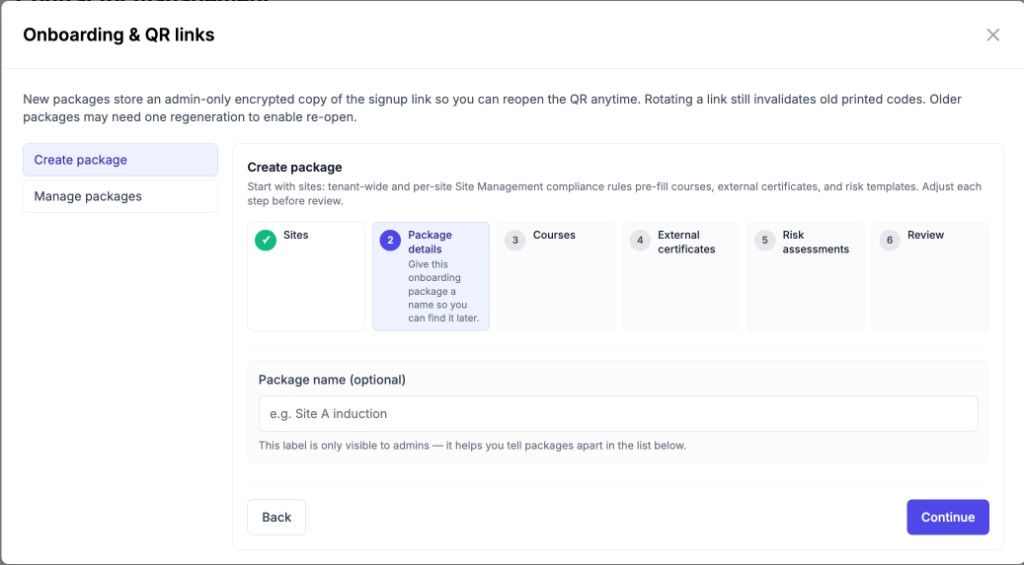
Add locations, set all-sites and per-site compliance requirements, muster points, and who can scan.
Scan at entry
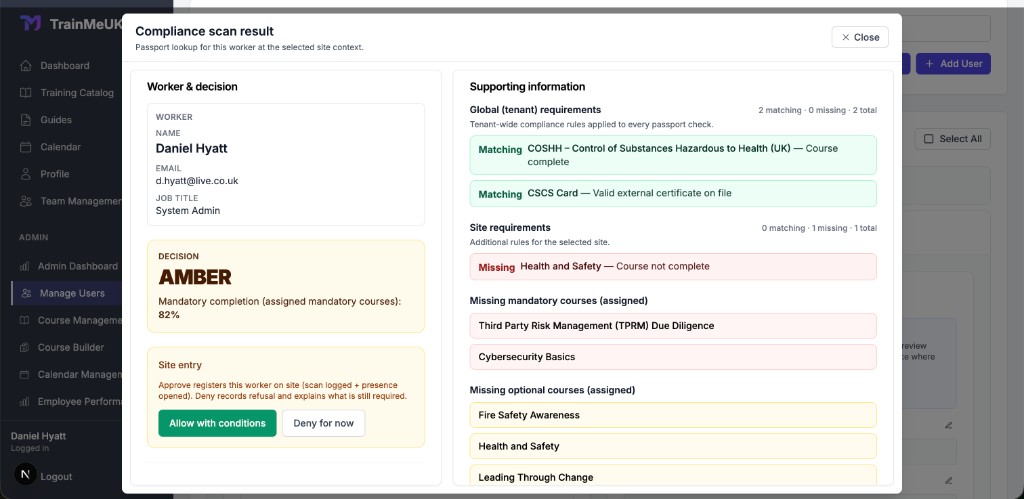
Open the compliance scanner for a passport lookup: see global vs site requirements, decisions, and allow or deny with a full audit trail.
Start an evacuation
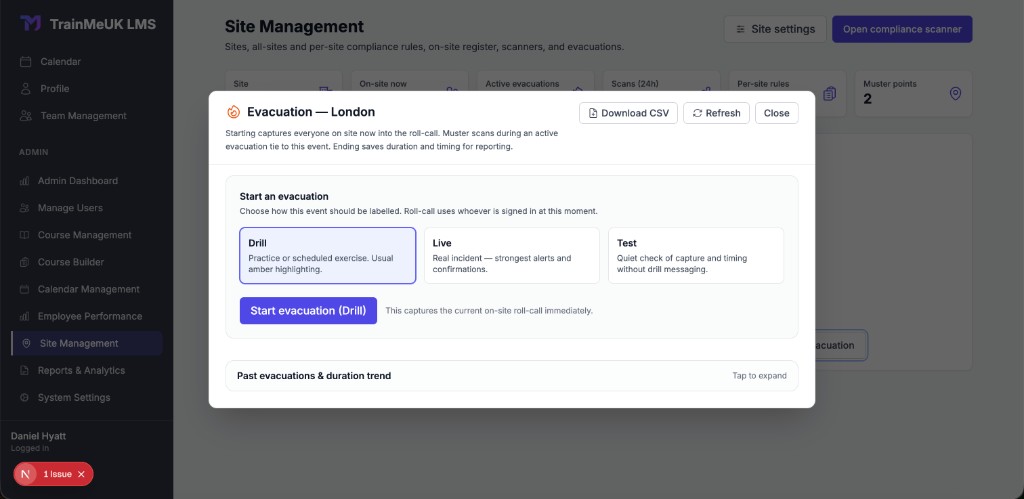
Label the event as drill, live, or test. Starting captures everyone on site into the roll call; muster scans tie to that event.
Muster, end, report
Run muster with QR check-in, then end the evacuation to record duration and timing for compliance reporting.
Inside the module
Real screens from Site Management: operational metrics, evacuation control, and gate-side compliance decisions tied to your catalogue and assignments.

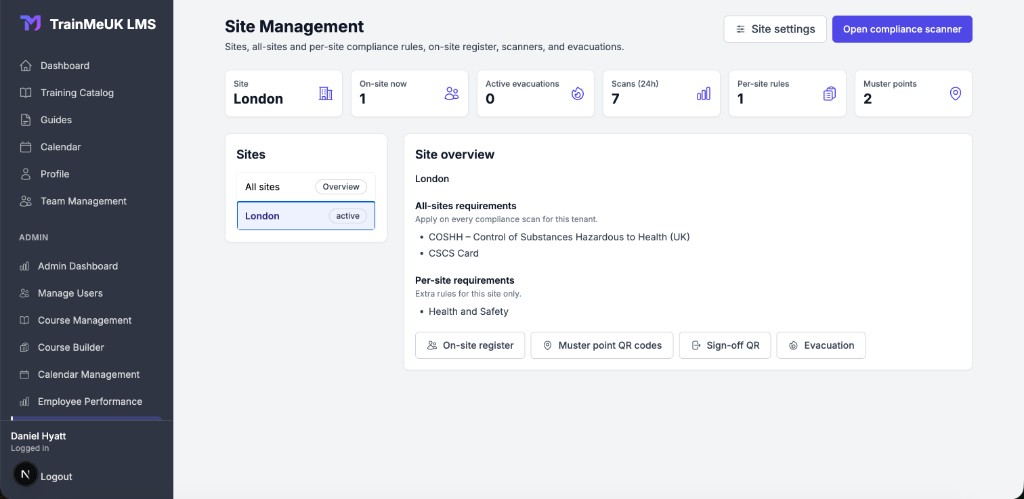
Site overview & requirements
Pick a site or “All sites”, see on-site counts, scans, muster points, and which compliance rules apply globally vs only at that location.

Evacuation roll call
Start drill, live, or test evacuations from the site context. Roll call captures who is on site; muster scans during the event link to it for a clear record.

Compliance scan result
Passport lookup merges tenant-wide and site-specific training with a clear decision — allow with conditions or deny — before presence opens on site.
Why add Site Management?
Spreadsheets and paper sign-in sheets break down under scale. TrainMeUK keeps learning, evidence, and on-site accountability connected so leaders see the same truth.
* Site Management is optional and enabled for your organisation on request — it is not assumed on every self-serve tier.
Frequently asked questions
Is Site Management included on every plan by default?
No. Site Management is enabled per organisation when it fits your operating model — for example multi-site retail, hospitality, education trusts, or construction. Contact us to confirm availability and rollout for your tenant.
What do people scan on site?
You configure sites, muster points, and checkout QR codes. Workers can check in at muster using the public scan flow, and compliance staff can verify passport QR codes where you require proof on the ground.
Does this replace our fire register or visitor system?
Site Management is designed to complement your emergency and access procedures with digital attendance tied to TrainMeUK users. Your health and safety lead should still align flows with your risk assessment and local regulations.
Can we try it in a pilot?
Yes. Start with a free trial of TrainMeUK for learning and automation, then speak with us about enabling Site Management for a subset of sites so you can prove value before wider rollout.
Ready to connect sites to your compliance programme?
Start your 14-day free trial for the TrainMeUK learning platform, then talk to us about enabling Site Management for your locations. No credit card required for the trial.
Ready to automate your compliance?
Join hundreds of UK companies who've eliminated manual compliance work and saved hours every month
Save 6+ hours/month
Automate manual compliance tasks and focus on what matters
95%+ compliance rate
Never worry about audit readiness again
Setup in 60 minutes
Connect Azure AD and start automating immediately
Start your free trial today
No credit card required • Full access for 14 days • Cancel anytime
✓ 14-day free trial • ✓ No setup fees • ✓ UK-based support