
Versioned PDFs. Named acknowledgements.
Publish policies, procedures, and forms as controlled documents. Learners read the current version and sign. Issue a major update when everyone must sign again — or a minor one that only reaches people still outstanding.
Controlled document
Live demoUpload PDF
Policy, procedure, form
Assign groups
Due dates & re-ack cycle
Learner reads
Catalog → Documents
Acknowledge
Named person, timestamp
Audit record
Version + signature
Why teams use Document Store
Emailing a policy and hoping people read it does not survive an audit. Versioned PDFs with named signatures do.
One place for signed PDFs
Policies, procedures, guidance, and forms — filed by type, with a document number and a live version label.
Major or minor when you re-issue
Everyone signs again on a major version. A minor version only reaches people who have not finished yet.
Named acknowledgements
Learners tick your wording. You get a timestamp against that version — not a course completion PDF.
How it works in practice
Admins publish once. Learners sign the current version. You choose who must sign again when the file changes.
Publish v1.0
Upload the PDF, choose a type, set due dates and a re-acknowledgement cycle, assign groups, publish.
People read it in Catalog
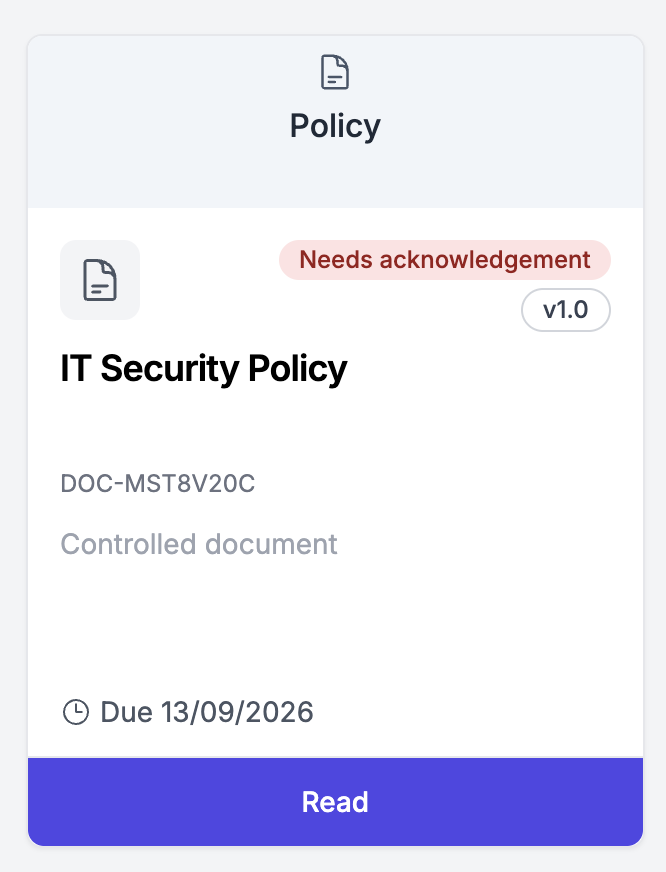
Assigned learners see Documents in the catalog. Needs acknowledgement until they confirm the current version.
Issue the next file
Upload a new PDF with a change summary. Major revokes prior signatures; minor keeps them for people already done.
Report outstanding
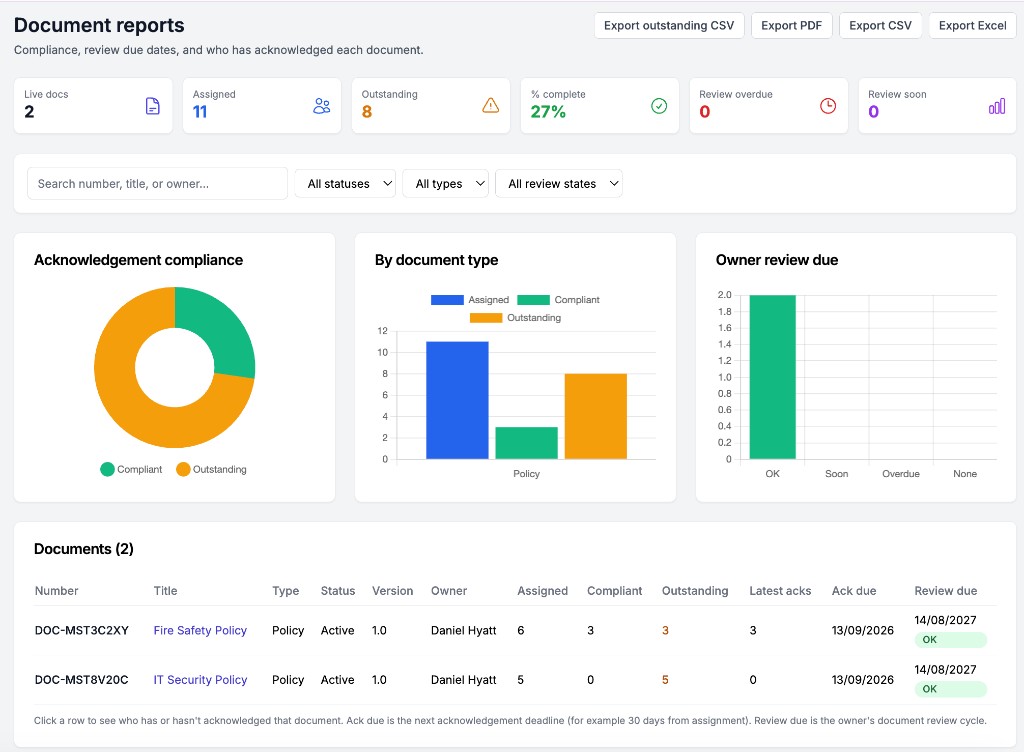
Document reports show assigned, compliant, and outstanding. Retire a document when it should no longer be issued.
Inside Document Store
Learners see a card to read and sign. Admins see who is still outstanding.
Publish wizard, major vs minor versions, and the rest of the admin screens are in the Document Store help.
Not a Guide, and not a course certificate
Visual how-tos belong in Guides (SOPs). E-learning belongs in Course Builder or the catalog. Document Store is the signed PDF register — including when a policy sits as a document step in a Learning Pathway.
Document Store setup guideFrequently asked questions
How is this different from Guides (SOPs)?
Guides are visual step-by-step procedures. Document Store is for PDFs that must be read and acknowledged.
Major vs minor version?
Major: everyone who had the document must sign again. Minor: only outstanding readers get the new file.
Is acknowledgement a course certificate?
No. Certificates are for completed e-learning. Acknowledgement is a dated record against a document version.
Which plans include Document Store?
It appears with Guides, which is included on Growth, Scale, and Enterprise. It is not a separate add-on.
Ready to automate your compliance?
Trusted by organisations across the UK
Less admin
Automated training workflows, reminders and renewals
Audit-ready visibility
See overdue training, renewals and evidence in one place
Get started in around 60 minutes
Connect Azure AD and start automating immediately
Start your free trial today
No credit card required • Full access for 14 days • Cancel anytime
✓ 14-day free trial • ✓ No setup fees • ✓ UK-based support